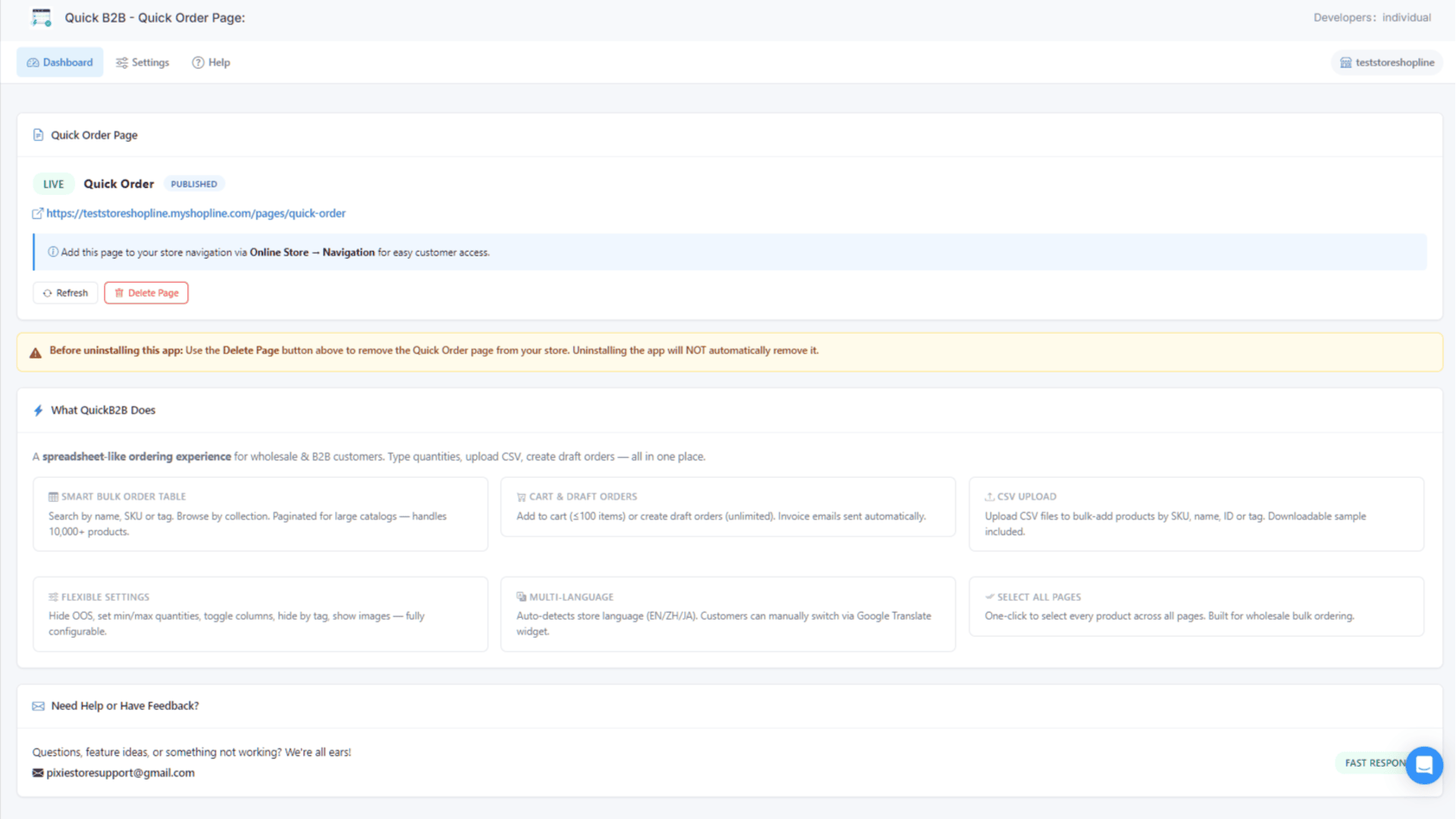
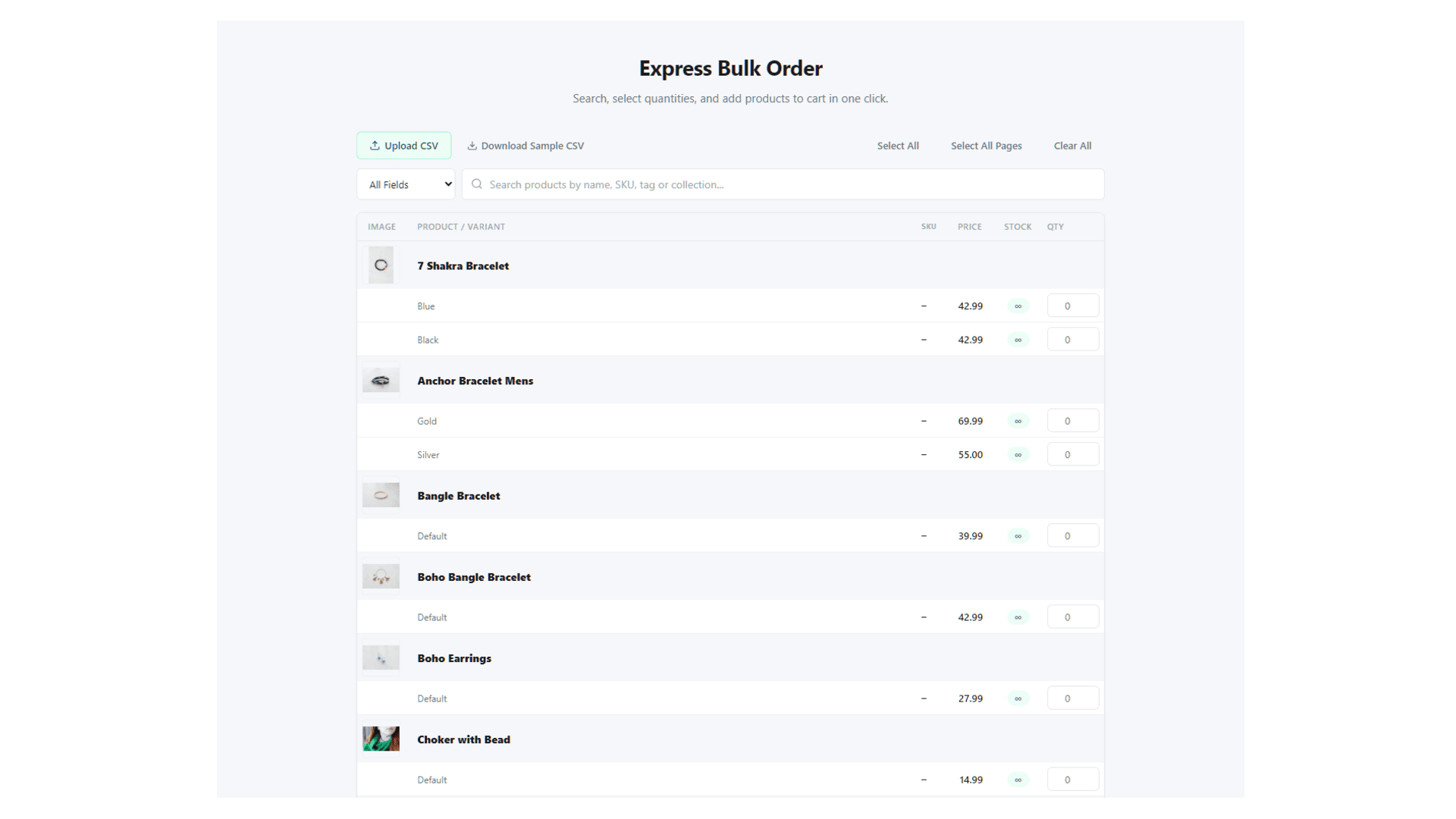
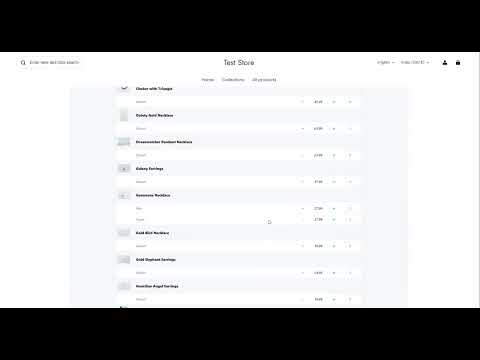
Quick B2B transforms the wholesale ordering experience on SHOPLINE. Instead of browsing product pages one by one, your B2B customers get a powerful spreadsheet-style ordering table where they can search, compare, and add products in bulk — all on a single page.
CORE FEATURES
Spreadsheet-Style Bulk Order Table
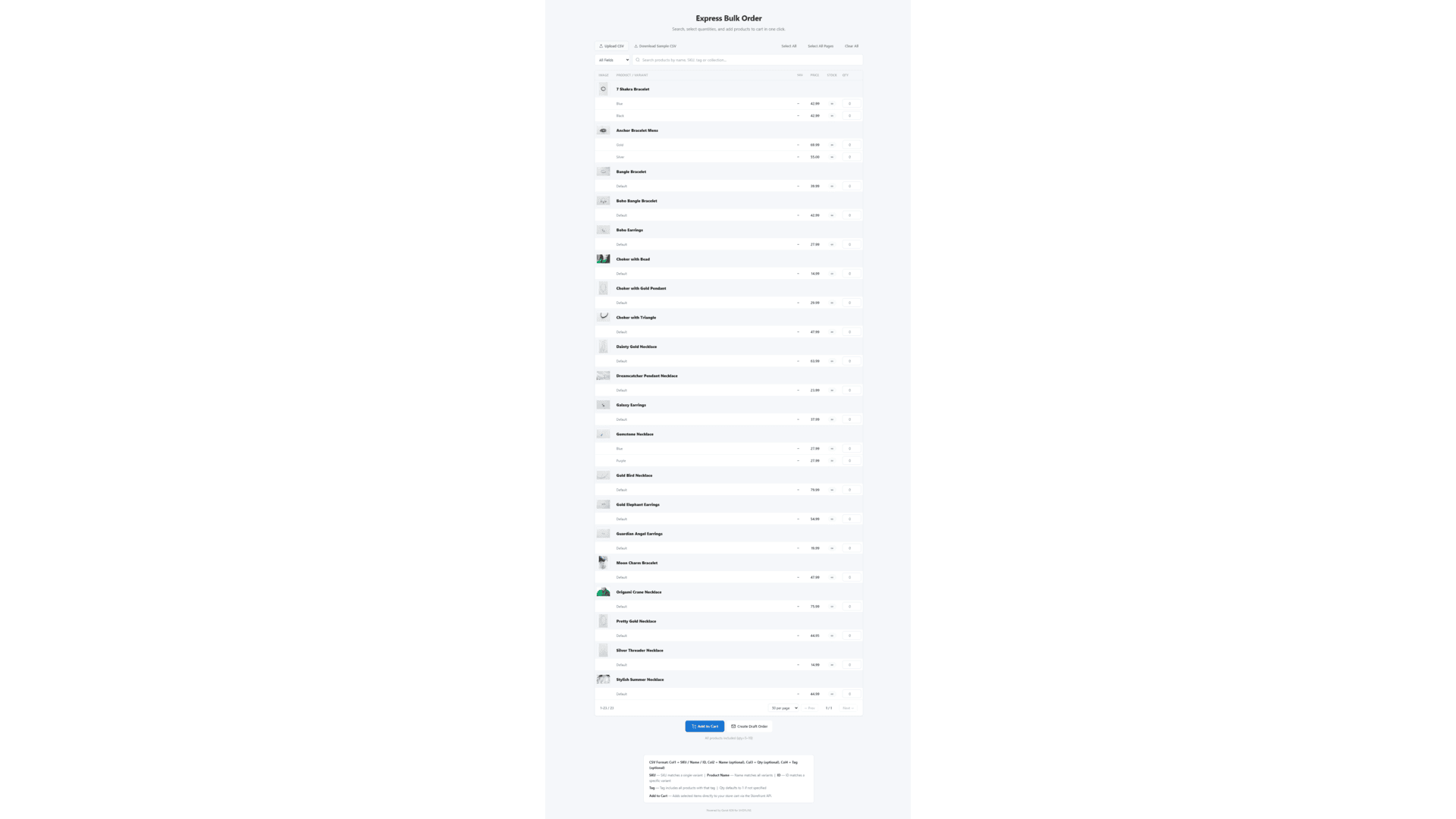
Search products by name, SKU, tag, or collection. Browse by collection filter. Enter quantities directly in a clean table layout. Pagination handles stores with 10,000+ products smoothly.
Cart & Draft Orders
Add up to 100 items to cart in one click via the Storefront API — customers are redirected straight to checkout. For larger wholesale orders, create Draft Orders (unlimited items) with automatic invoice emails sent to the customer.
CSV Upload
Upload a CSV file to bulk-add products instantly. The system matches by SKU, product name, variant ID, or tag. A downloadable sample CSV template is provided. Quantities default to 1 when not specified.
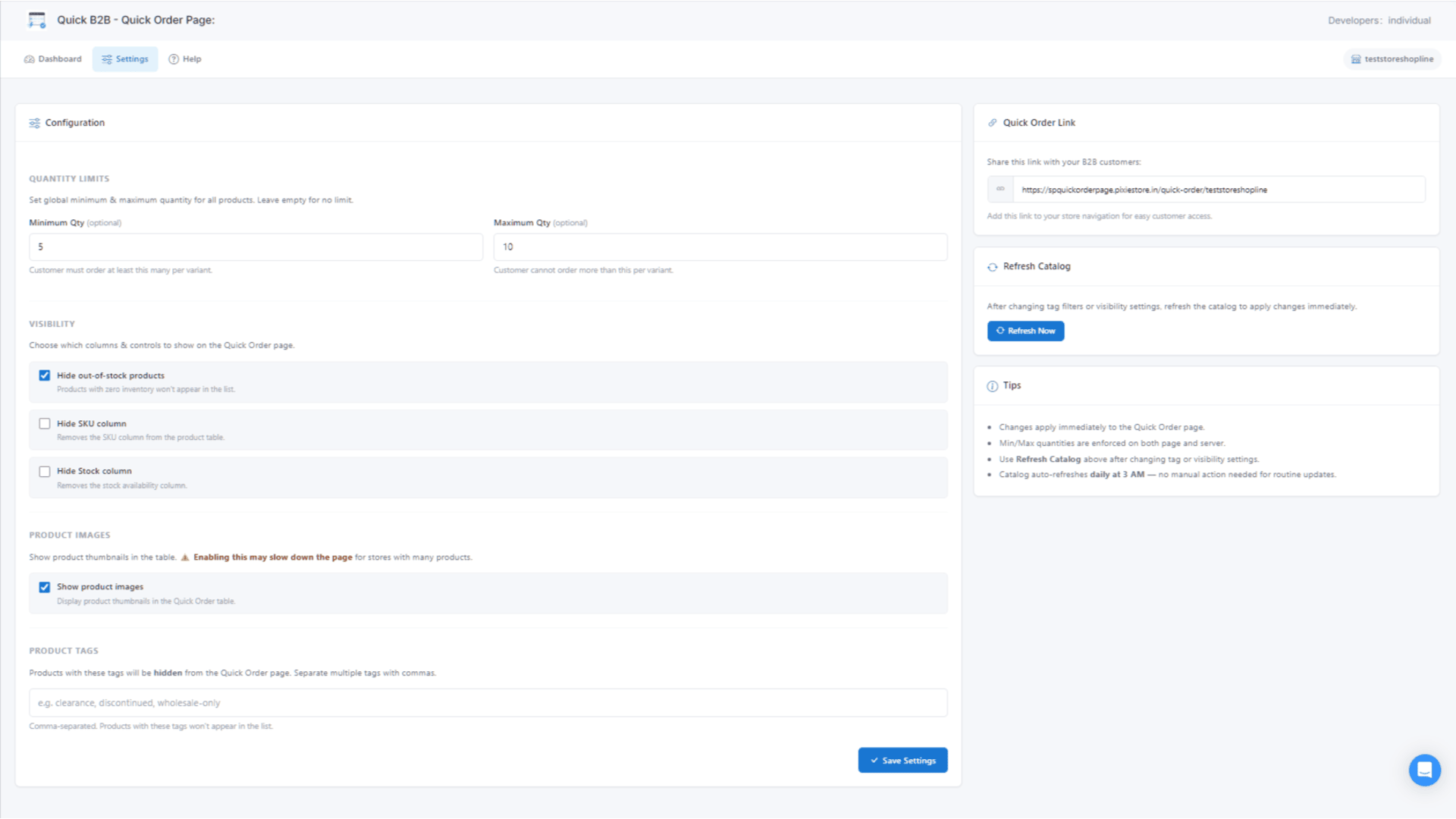
Flexible Settings
- Set global minimum and maximum quantities per variant
- Hide out-of-stock products automatically
- Toggle SKU and Stock column visibility
- Show or hide product thumbnail images
- Exclude products by tag (e.g., "clearance", "discontinued")
Secure & Embedded
The app runs as an embedded SHOPLINE app inside the admin panel. The storefront page is served through an iframe with secure postMessage communication for cart operations. All API calls use SHOPLINE's official REST and Storefront APIs with OAuth authentication.
WHO IS IT FOR?
- Wholesale and B2B merchants who need a fast, efficient ordering experience
- Stores with large product catalogs where browsing individual pages is slow
- Merchants who receive orders via CSV or spreadsheets from their buyers
- Any SHOPLINE store wanting to offer a "quick order" or "bulk order" page
HOW IT WORKS
1. Install the app from the SHOPLINE App Store
2. Click "Create Page" a Quick Order page is automatically added to your store
3. Configure your settings (quantities, visibility, images, tags)
4. Add the page to your navigation menu via Online Store -> Navigation
5. Your customers start ordering in bulk!
PRIVACY
Quick B2B does not store any customer personal data. The app only accesses product and order information through official SHOPLINE APIs. No data is shared with third parties. Cart operations happen directly between the customer's browser and your SHOPLINE store via the Storefront API.